
Video & Filmmaking
What Is Google Flow? Google's AI Filmmaking Tool, Explained
Google Flow turns text prompts, reference images and Google's Veo video model into short cinematic clips. Here's how it actually works, what it costs, and how it compares to other AI video tools.
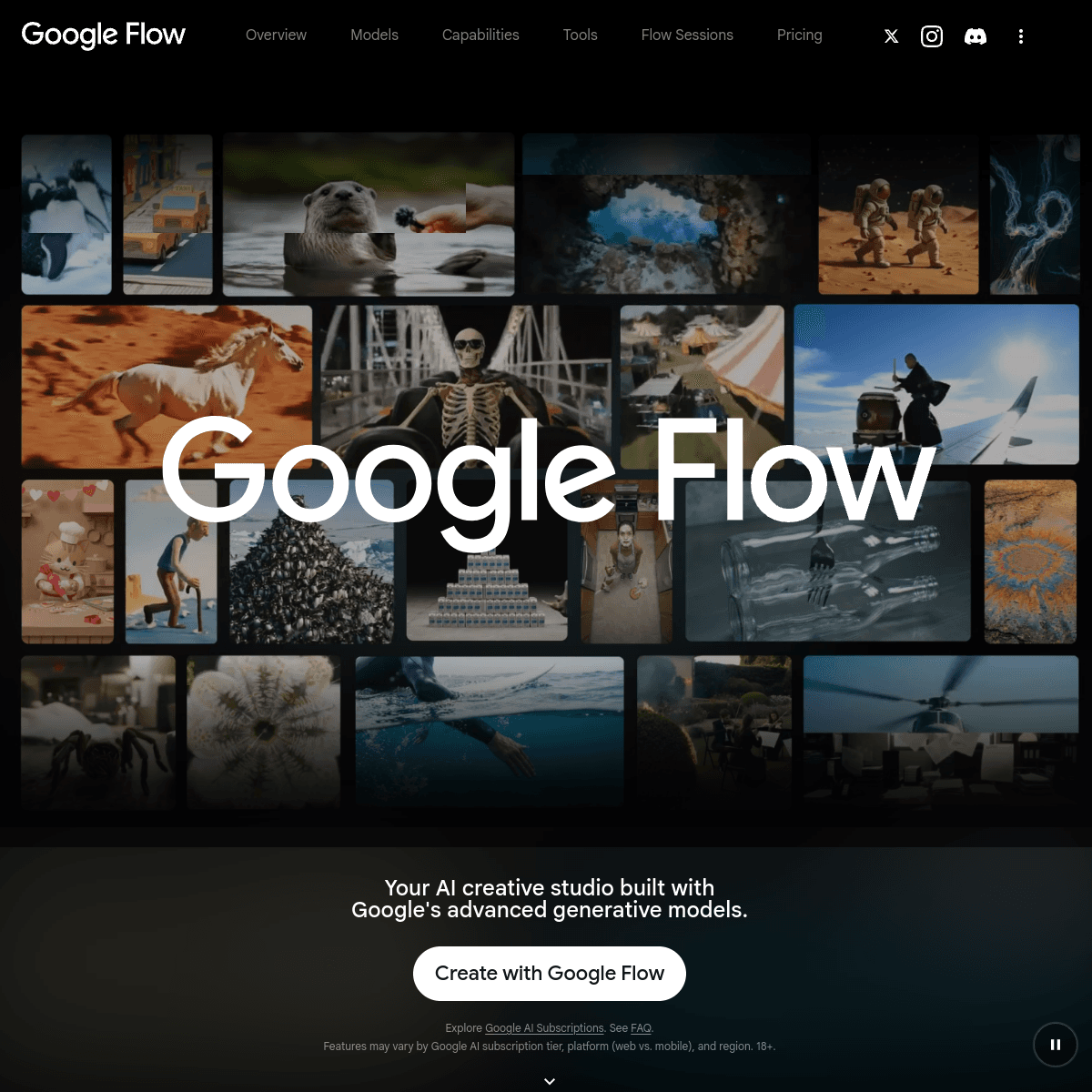
What Google Flow actually is
Flow is Google's AI filmmaking tool, built by Google Labs and launched on May 20, 2025. Rather than being a single text-to-video generator, Flow is a full browser-based workspace that combines three of Google's AI models: Gemini for natural-language prompting, Imagen for generating reference images, and Veo — Google's video-generation model — for turning all of that into moving footage with synchronized sound.
In February 2026, Google folded two of its other creative tools, Whisk (image remixing) and ImageFX, directly into Flow. Image generation, video generation and editing now live in one workspace instead of three separate products, all running on the same Veo 3.1 model underneath.
How it actually works
A typical Flow project starts with a text prompt, written in plain language rather than a rigid syntax — Gemini interprets the request and translates it into the more structured input Veo needs. From there, three features do most of the work:
- Scene Builder — extends an existing clip, remixes it, or chains several shots into a multi-shot sequence while keeping a character's appearance and the setting consistent from one shot to the next. It also supports Frame-to-Frame generation: give it a starting frame and an ending frame, and it generates the motion that connects them — useful for a deliberate transition between two specific shots rather than a fully open-ended prompt.
- Camera controls — direct control over pan, tilt, dolly and zoom, so a shot can be directed rather than only described.
- Ingredients to Video — the most distinctive feature. An "ingredient" is a consistent visual element (a character, an object, or a style) that you either generate from a prompt using Imagen or upload yourself as a real image. Veo 3.1 accepts up to three ingredient images per 8-second clip and combines them into a single cohesive scene, which is what makes it possible to keep the same character recognizable across an entire short film instead of a new-looking person in every clip.
Since the Veo 3.1 update, Ingredients to Video also generates video and audio together in one step — dialogue and sound effects arrive synchronized with the footage, rather than being added afterward as a separate pass.
Technical specs: resolution, length and format
| Spec | What Flow supports |
|---|---|
| Resolution | 720p or 1080p at 24 fps; some configurations support upscaling to 4K |
| Clip length | 4, 6 or 8 seconds per generation — 4K and full 1080p rendering require the 8-second setting |
| Aspect ratio | Landscape (16:9) and native portrait (9:16) — vertical clips are composed for mobile screens from the start, not just cropped from a widescreen version |
| Audio | Generated natively alongside the video (dialogue, sound effects), not added in a separate step |
These are model-level Veo 3.1 specs, not a Flow-specific limit — the same numbers apply whether you're generating inside Flow or calling Veo directly through Google's developer APIs below.
How Google labels what Flow generates
Every video Veo produces — inside Flow or anywhere else — carries SynthID, Google DeepMind's imperceptible watermark embedded across every frame. It doesn't change how the video looks and can't be seen or heard, but it lets a detector confirm the clip came from a Google generative model after the fact. Google Veo AI Filmmaking Tool Studio content commonly also carries a visible "Made with Google AI"-style overlay on top of that invisible watermark, separate from and in addition to SynthID.
Using Veo outside Flow: the developer option
Flow is the consumer-facing workspace, but Veo itself is also available directly to developers through the Gemini API and Vertex AI, with the same "Ingredients to Video" capability available there too (and, for enterprise users, through Google Vids). That's the option for anyone who wants to call Veo programmatically — generating video as part of another app or pipeline — rather than working inside Flow's own interface.
What it costs
Flow isn't sold on its own — it's a feature of Google's AI subscription plans, and usage is metered in "Flow credits" rather than a flat per-video price:
| Plan | Flow credits included | Notes |
|---|---|---|
| Google AI Pro | 1,000 / month | Entry-level access to Flow and Veo |
| Google AI Ultra | 10,000 / month (plus a separate 30,000/month allowance for Flow Music) | Higher usage ceiling, plus earlier access to new Veo capabilities |
Both credit allowances come directly from Google's own plan page. What's genuinely hard to pin down is the dollar price of each tier — Google has changed Ultra's pricing more than once since Flow launched, including introducing a lower-cost Ultra tier alongside the original one. Check Google's current AI plans page before subscribing rather than trusting a specific number quoted anywhere, including here.
Where you can use it
Flow requires signing in with a Google account on a Pro or Ultra plan at Flow's own site, and Google's support documentation lists it as available across a large majority of countries and regions — with some regional exceptions (for example, Google has noted that AI credits are currently unavailable to purchase in Japan). Access is restricted to users 18 and older everywhere it's offered.
How it compares to other AI video tools
Flow's closest independent competitor in our AI Video category is Runway — both are credit-based, both target filmmakers rather than casual users, and both combine generation with editing tools rather than doing generation alone. The practical difference: Runway works as a standalone product across many creative pipelines, while Flow is deeply tied to Google's own ecosystem (Gemini, Imagen, and a Google AI subscription) and gets first access to new Veo capabilities as a result.
It's also worth not confusing Flow with avatar-presenter tools like Synthesia or HeyGen. Those generate a person speaking a script — useful for training videos and explainers — while Flow is built for cinematic scene generation: shots, camera movement and story structure, not a talking head.
Who it's genuinely useful for
Flow is aimed at people making short-form narrative or promotional video — indie filmmakers storyboarding a concept before committing to a real shoot, marketers producing short social clips, or hobbyists experimenting with AI-directed short films. It's a weaker fit for anyone needing long-form, broadcast-final video today, or anyone not already inside (or willing to pay for) Google's AI subscription ecosystem.
Frequently asked questions
- Is Google Flow free to use?
- There's no permanent standalone free tier — Flow requires a Google AI Pro or Ultra subscription, and usage is metered in Flow credits rather than billed per video. Exact subscription pricing has changed more than once since launch, so check Google's current plans page rather than a quoted number.
- What's the difference between Flow and Veo?
- Veo is the underlying video-generation model. Flow is the workspace built around it — along with Imagen and Gemini — for actually directing a scene, managing consistent characters across shots, and assembling a project, rather than a single one-off generation.
- Can I use my own images in Flow, or is everything AI-generated from scratch?
- You can upload your own images as 'ingredients' — a real photo of a character, object or style reference — and Flow will incorporate them into the generated scene, rather than only working from a text prompt alone.
- How long can a single Flow-generated clip be?
- Each individual generation is 4, 6 or 8 seconds — longer results come from using Scene Builder to chain multiple generated clips into a sequence, not from generating one long clip directly.
- Does Flow mark videos as AI-generated?
- Yes — every Veo-generated video, whether made in Flow or through Google's developer APIs, carries SynthID, Google DeepMind's imperceptible watermark embedded in the video itself, in addition to a visible 'Made with Google AI'-style overlay on much of Flow's own output.